
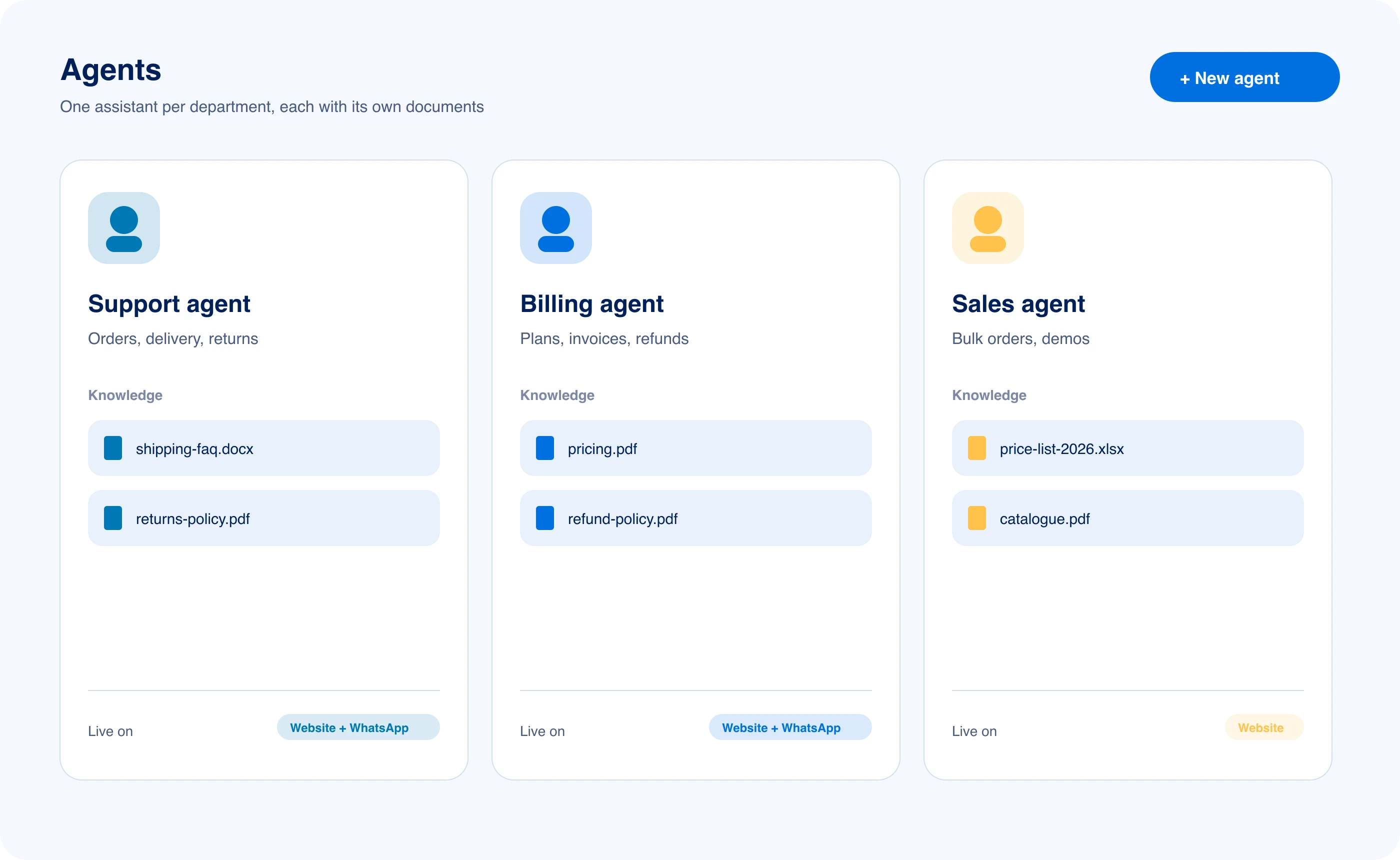
One chat window. An agent for each department.
Each conversation goes to the agent whose keywords match its first message. Every agent has its own documents, instructions and the conversation history in view.
First message
My order arrived broken. Can I return it?
- Alex, support agentkeyword match
- Jordan, sales agentSales
- Taylor, product agentProduct
- Devin, developer agentDeveloper
- Sam, privacy agentPrivacy
Support, sales, developers. Each desk gets its own agent.
These are example agents. You write the instructions and upload the documents for your own.
- Support
Alex, support agent
Customer support
Answers questions about orders, tracking, warranty claims and returns from your policy documents, and walks customers through troubleshooting steps.
Specialties
- Order and account questions
- Step-by-step troubleshooting
- Warranty and returns
- Handoff to your team
Reads from
- Return and refund policies
- Shipping options
- Account security steps
Routes on
refundreturnordershippingtrackingcancelwarrantybrokeninvoice
- Custom
Your own agent
Your instructions, your documents
Set up an agent for your own workflow: write its instructions, choose the keywords that route to it, add guardrails, and give it its own documents.
Specialties
- Custom instructions
- Routing keywords
- Its own documents
Routes on
custommy agentcreate
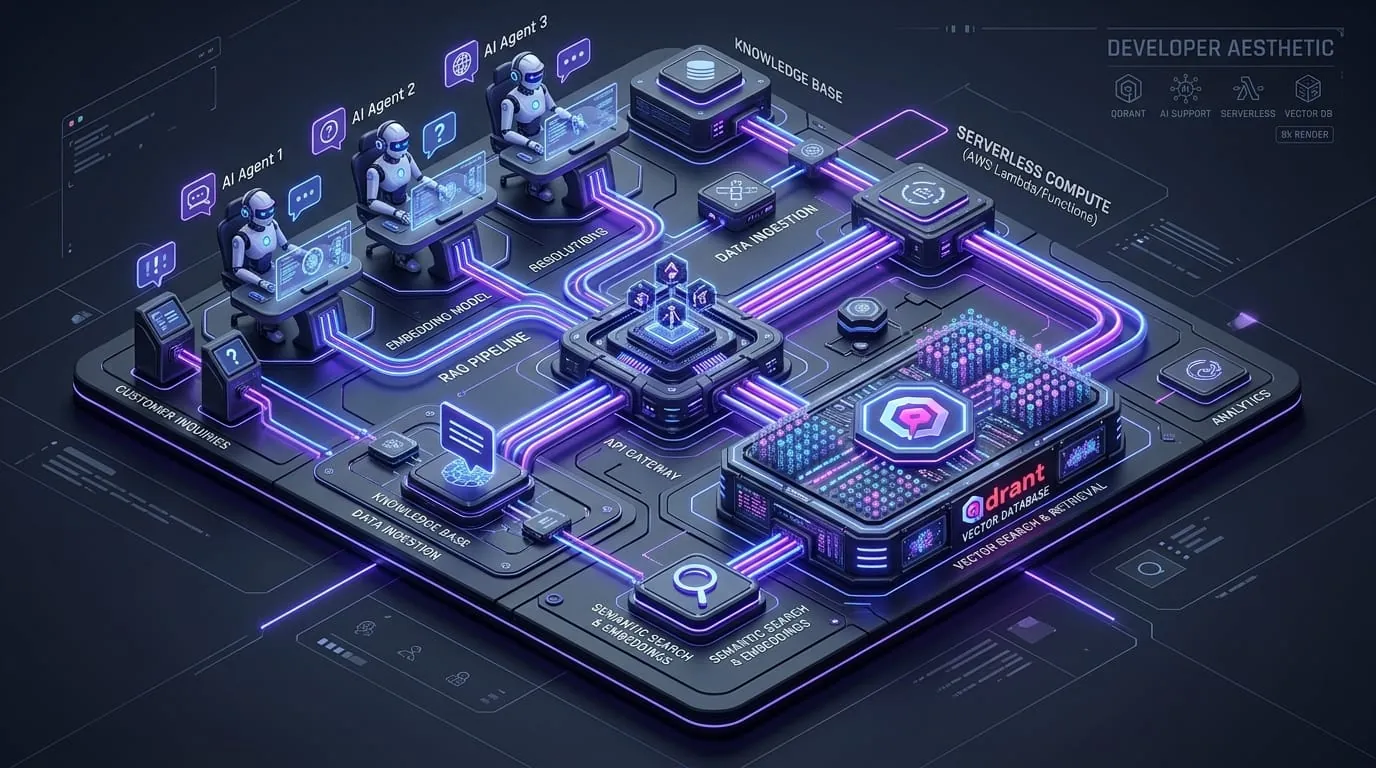
Every question sorted. It reaches the right agent.
When a conversation starts, its first message is matched to an agent by keyword. That agent keeps the conversation. Anything it can't answer goes to your team.
Question
Customer question arrives
From the website widget (WebSocket) or WhatsApp (Meta Cloud API)
Routing
Keyword match
The first message is matched to the agent whose keywords fit best
Agent
Matching agent
The support, sales or product agent takes the whole conversation
Your documents
Document search
Finds matching passages and checks the confidence score
Customer reply
Streamed reply
The answer streams to the customer with its sources
01
Keyword match at the start
The first message is checked against each agent's name, role and routing keywords: returns and orders go to support, pricing questions go to sales.
02
Quick path for greetings
Greetings and simple questions get a short reply without a full document search.
03
Matching agent takes over
The conversation goes to the agent with the right instructions and documents for that topic, and stays with it.
04
Human fallback
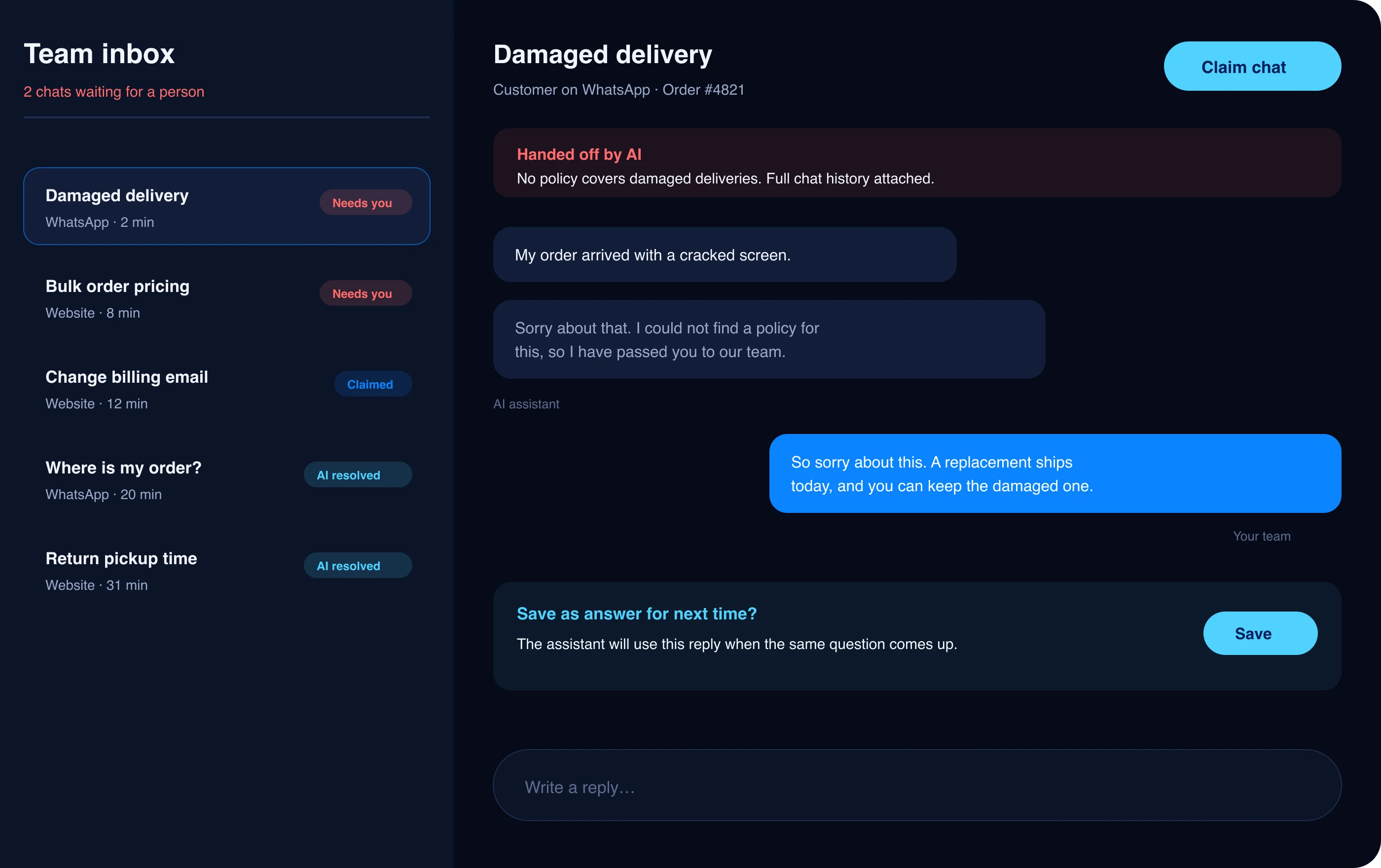
If the agent is not confident in an answer, or the question needs a person, the chat moves to your agent inbox.

From agent to person. Nobody starts from scratch.
Context carries across sessions
Conversation history and customer context are kept between sessions, so customers do not have to repeat themselves.
People take the hard ones
If the agent is not confident in an answer, or the question needs a person, the chat moves to your agent inbox with the whole conversation.

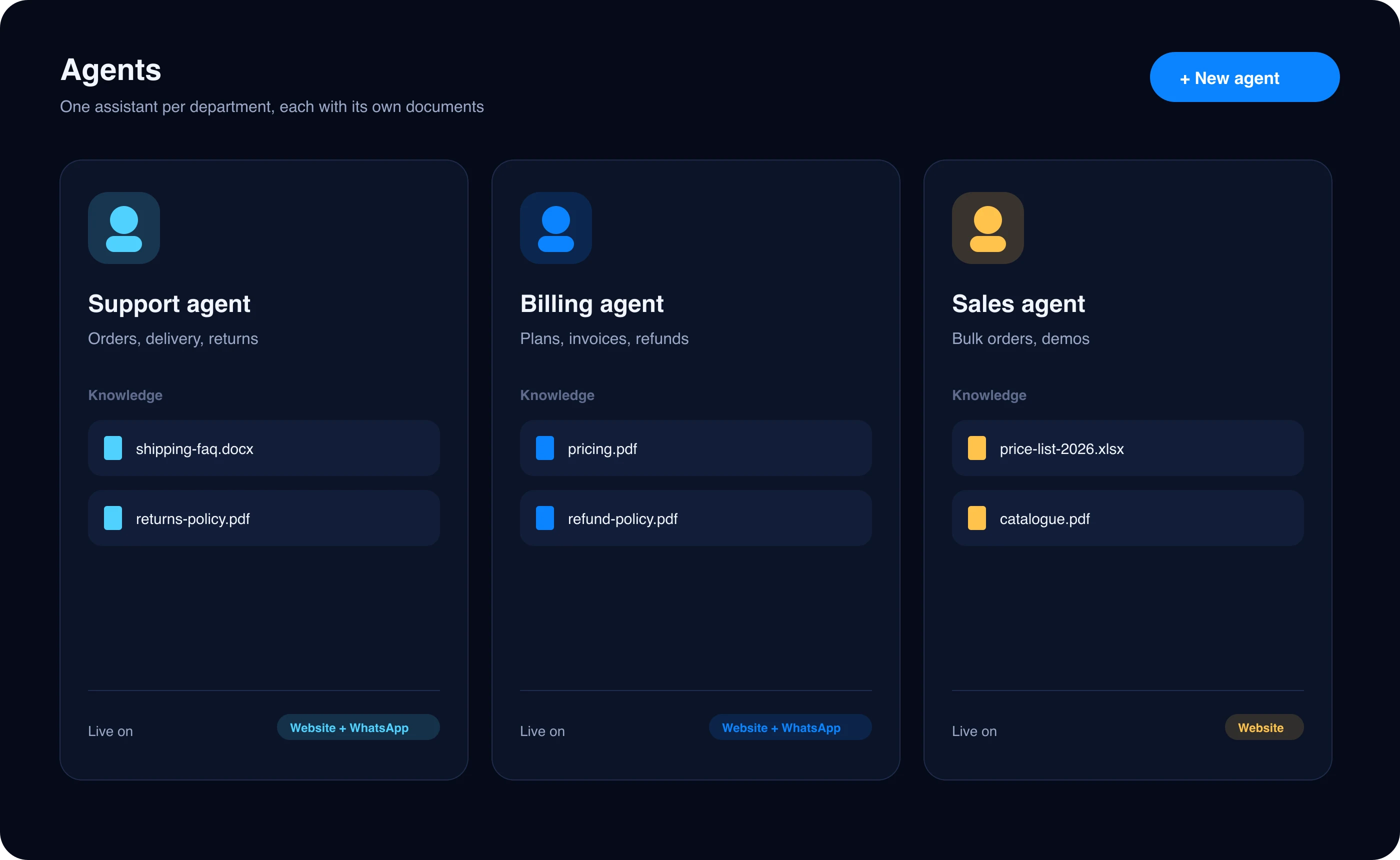
Your workflow. Your agent, your rules.
Create custom agents in the admin dashboard. For each one you can:
- Write its instructions
- Choose the keywords that route to it
- Give it its own documents
- Add guardrails
- Set its tone
- Starter
- 5
- custom agents
- Pro
- 25
- custom agents
- Premium
- 100
- custom agents
Passages it found (sample data)
Refund and warranty policy (sample)
Support policy · relevance 0.90
Customers can get a full refund within 30 days of receiving their order, with no restocking fee.
Pricing FAQ (sample)
Pricing · relevance 0.85
Annual billing costs less than paying monthly, on every plan. There are no per-resolution fees.
Asked before you sign up.
Straight answers about accuracy, setup and your data. Anything else, our team is a message away.
How does LayBuild AI decide which agent answers a conversation?
How does LayBuild AI decide which agent answers a conversation?
When a conversation starts, the first message is matched against each agent's name, role and routing keywords, and the best match takes the conversation (for example support, sales, product or developer). If nothing matches, the support agent takes it. The conversation stays with that agent, and each agent has its own instructions and documents.
Can I create a custom AI agent persona with custom instructions?
Can I create a custom AI agent persona with custom instructions?
Yes. In the admin dashboard you can create custom agents (5 on Starter, 50 on Pro, 125 on Premium), write their instructions, set the routing keywords, upload their documents, and choose their tone.
Does the AI agent remember customer context across sessions?
Does the AI agent remember customer context across sessions?
Yes. LayBuild AI keeps the conversation history and customer context across sessions, so customers do not have to repeat themselves.
What happens when a question needs a person?
What happens when a question needs a person?
If the agent is not confident in an answer, or the question needs a person, the chat moves to your team inbox with the whole conversation, and someone on your team replies from there.